HowToReplyTo
AI-powered tool for generating creative message replies for any situation.
5.0
Rating
4
Saved
--
Visits/mo
Screenshots
Overview
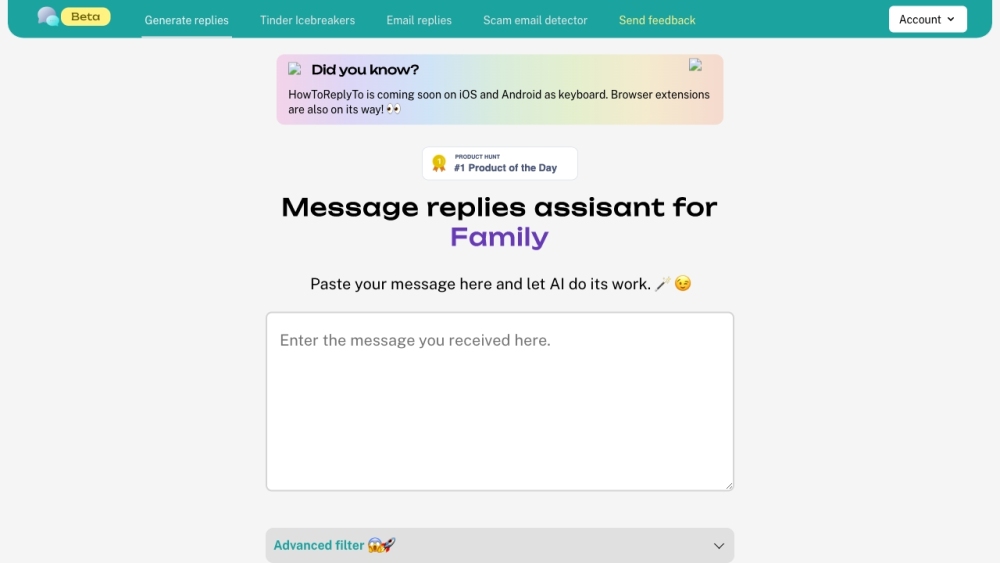
HowToReplyTo is an AI-powered tool designed to generate creative and unique replies to messages for various contexts, including family, friends, dating, and professional communications. It helps users craft smart and engaging responses by leveraging advanced filters and cultural considerations.
How to Use
How to use HowToReplyTo? Users input the message they want to reply to, select the recipient type (e.g., Tinder/Dating, Friends, Family, Professional), choose the desired response tone (e.g., Funny, Rude & Angry, Emotional), and apply additional filters like slang or cultural context. The AI then generates several reply options.
Core Features
HowToReplyTo's Core Features AI-powered message reply generation Context-specific reply options (Tinder, Family, Friends, Professional) Emotion-based response selection (Funny, Rude, Emotional, etc.) Slang and cultural context filters Advanced filters for personalized responses
Use Cases
- 1 HowToReplyTo's Use Cases
- 2 Crafting engaging Tinder icebreakers
- 3 Generating thoughtful replies to family members
- 4 Creating witty responses for friends
- 5 Formulating professional email replies
Frequently Asked Questions
What types of replies can HowToReplyTo generate? Is HowToReplyTo available on mobile devices? How does the AI generate personalized responses?
For details, please visit the official website of HowToReplyTo.
Quick Info
- Category
- Writing & Editing
- Subcategory
- AI Text Message Generator
- Added on
- Mar 07 2023
- Monthly Visits
- --
- Rating
- 5.0 / 5.0
- Saved
- 4